Death Stranding 2 PC: My Journey Into System Requirements Hell
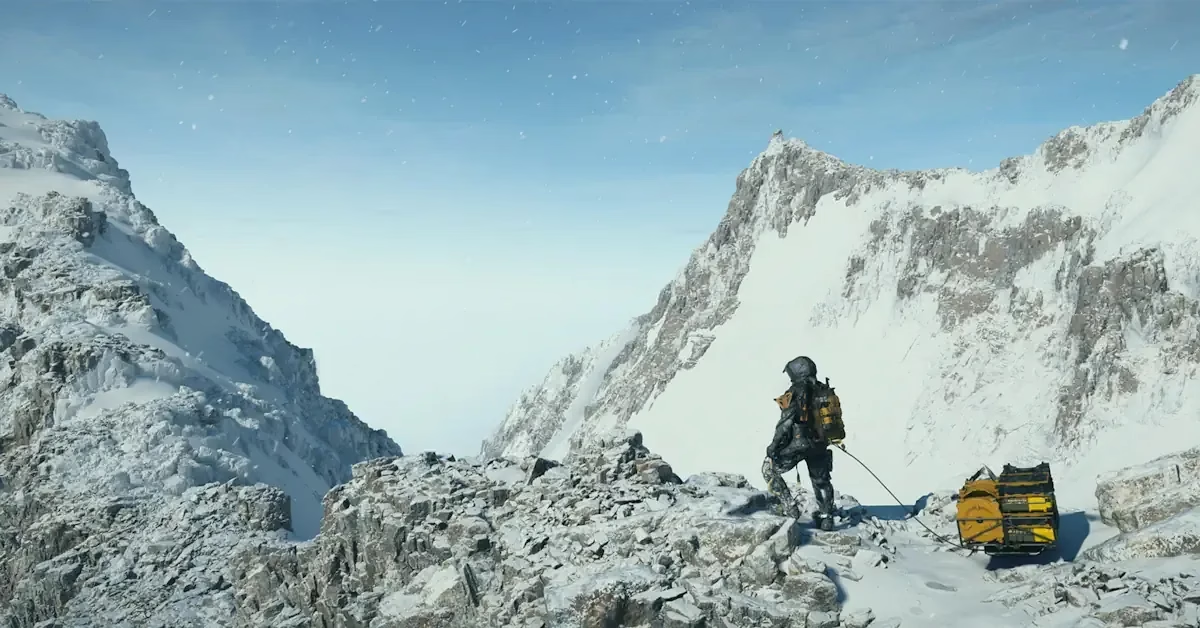
I still remember the first time I watched the Death Stranding 2 announcement. My hands were literally shaking—not from fear, but from pure, unbridled anticipation. Kojima had done it again, pulling me back into that beautifully broken world where every step feels like it matters. Now, with the PC release dropping on March 19, 2026, I find myself face-to-face with a new kind of beast: system requirements that could make or break my entire experience.
Let me tell you something—walking through Kojima's haunting, fractured landscapes isn't just about getting from point A to B. It's about feeling the weight of the world on your back while the tar bubbles ominously around your boots. The tension is thick enough to cut with a knife, and honestly? The atmosphere practically leaks out of your screen and fills your entire room. That's the magic I'm chasing, and I'll be damned if my aging rig holds me back.
The Wake-Up Call: What You Actually Need
When PlayStation, Kojima Productions, and Nixxes finally dropped those system requirements, I nearly spit out my coffee ☕. The good news hit first—you don't need a supercomputer from the future to take your first steps into this world. If you're still rocking an older setup (and let's be real, who isn't in this economy?), a humble GTX 1660 paired with an Intel Core i3-10100 will get you out the door.
That covers the Low preset at 1080p, which honestly? Totally fine if you just want to experience the story. I mean, we're not all swimming in cash for the latest hardware, right? They even threw in a "Portable" preset specifically for handheld gaming devices, which is clutch for those Steam Deck warriors out there. 🎮
But here's where things get spicy. If you want to push this visual masterpiece to its absolute limits—and trust me, you do—you'll need serious firepower that'll make your wallet weep.
My Personal Hardware Reality Check
I sat down last night and ran through my setup with a fine-tooth comb. Currently running an RTX 3070, and while she's been good to me, hitting that sweet 4K at 60 FPS on the Very High preset demands an RTX 4080 or the new Radeon RX 9070 XT. That's some next-level hardware that costs more than my first car did back in college.
Here's the non-negotiable stuff that had me scrambling:
| Component | Minimum Requirement | My Current Setup | Status |
|---|---|---|---|
| RAM | 16GB | 16GB | ✅ Just barely |
| Storage | 150GB SSD | 500GB SSD | ✅ After cleanup |
| GPU (Low) | GTX 1660 | RTX 3070 | ✅ Comfortable |
| GPU (Very High 4K) | RTX 4080/RX 9070 XT | RTX 3070 | ❌ Need upgrade |
That 150GB of SSD space requirement? Absolutely bonkers. I had to delete about half my Steam library just to make room. Said goodbye to some old friends I hadn't touched in months. Sorry, Witcher 3—you're going on ice for a while. 😢
The Upscaling Game-Changer
Now here's where things get interesting, and honestly, where my hope springs eternal. You aren't just relying on raw horsepower to render these massive, breathtaking environments. The PC port comes packed with the latest upscaling wizardry, and I'm talking about the real deal:
-
NVIDIA DLSS 4 🚀
-
AMD FSR 4
-
Intel XeSS 2
This means I can squeeze out better frame rates without turning those gorgeous, moody landscapes into visual mush. It's like having your cake and eating it too—which, let's be honest, is exactly what I want. I've been testing DLSS 3 in other games, and when it works properly? Chef's kiss 👌
Pico: The Secret Weapon Nobody's Talking About
But wait—there's more! (I feel like an infomercial host, but stay with me.) There's this brand new toy called Pico, or Progressive Image Compositor if you want to get technical about it. Guerrilla Games built this upscaler specifically for the Decima engine, and get this—it's the exact same tech the PS5 version uses.
What really gets me excited? You can run Pico on any supported graphics card and even stack it with frame generation options. That's potentially game-changing for someone like me who's trying to stretch their hardware as far as humanly possible. I've been researching this tech for days now, reading every forum post and tech analysis I can get my hands on.
Here's my understanding of how it works:
-
Base rendering: Game renders at lower resolution
-
Pico processing: Intelligently reconstructs image
-
Frame generation (optional): Creates intermediate frames
-
Final output: Sharp, smooth gameplay
It's not just smoke and mirrors—this is legitimate technology that could let my RTX 3070 punch way above its weight class.
The Ultrawide Experience I'm Dying For
Okay, confession time: I bought an ultrawide monitor last Black Friday specifically because I had a hunch Kojima would do this right. If you own an ultrawide monitor like me, you're in for an absolute treat. Every single cutscene is meticulously built for a 21:9 aspect ratio, giving you that authentic cinematic feel that makes you forget you're playing a game.
Gameplay stretches even further, fully supporting massive 32:9 displays to let you soak in every gorgeous, depressing, beautiful view. I'm talking about standing on a cliff edge, scanning the horizon, and feeling like you're actually there in that world. No black bars, no compromises—just pure, unadulterated immersion. 🌅
Don't have an ultrawide monitor yet? No sweat, as they say. You can force the widescreen aspect ratio on standard 16:9 displays to get that cinematic letterbox look. PlayStation 5 players aren't left behind either—they'll get an update for 21:9 support on the exact same day. Kojima really does think of everything.
My Pre-Launch Checklist
With March 19th right around the corner, I've created my own personal preparation checklist, and I suggest you do the same:
Essential Preparations:
-
✅ Clear out 150GB of SSD space (done, painfully)
-
✅ Update GPU drivers to latest version
-
✅ Test current setup with benchmarking tools
-
✅ Pre-load game as soon as available
-
⏳ Consider RAM upgrade to 32GB (still debating)
-
⏳ Research best upscaling settings for my hardware
Optional But Awesome:
-
🎯 Link PlayStation account for bonus Porter gear
-
🎯 Join community forums for optimization tips
-
🎯 Prepare snacks and drinks for launch marathon
-
🎯 Clear calendar for at least the weekend
That 150GB download? Yeah, that's going to take a minute—or several hours depending on your connection. I've already warned my roommates that bandwidth priority is mine for launch day. They weren't thrilled, but they understand. This is important. 😤
The PlayStation Account Bonus
Here's a pro tip I almost missed: if you link your PlayStation account, you'll score some neat PlayStation-inspired Porter wear to show off during your trek. It's purely cosmetic, sure, but there's something deeply satisfying about representing while hauling cargo across impossible terrain. Plus, it's free, and who doesn't love free stuff?
The process is supposedly straightforward—just link your accounts through the in-game menu after launch. I've got my PSN credentials ready to go because I know I'll forget them in the heat of the moment if I don't prepare now.
What This All Means for Launch Day
The PC version genuinely looks like the definitive way to experience Sam's next grueling trek. I've watched every comparison video, read every preview, and stalked every forum discussion I could find. The combination of cutting-edge upscaling technology, ultrawide support, and raw PC horsepower has me more hyped than I've been for a game in years.
But there's also this nagging anxiety. Will my setup hold up? Will I need to compromise on visual quality to maintain smooth performance? These are the questions that keep me up at night—not the BTs or the timefall, but frame rates and resolution settings. 😅
My Final Thoughts and Launch Strategy
Keep on keeping on, friends—that's not just a game motto, it's become my personal mantra while preparing for this launch. Make absolutely sure your hardware is ready for the long road ahead. Check those specs, clear that storage space, update those drivers, and maybe say a little prayer to the PC gaming gods.
I've decided on my launch day approach:
Hour 1-2: Install, configure settings, run initial benchmarks
Hour 3-4: Start story, get through opening sequences
Hour 5-8: First real delivery run, test different upscaling options
Hour 9+: Full immersion mode—phone off, notifications silenced, snacks within reach
March 19, 2026 can't come fast enough. My body is ready, my PC is (mostly) ready, and my sense of anticipation has reached critical mass. Whether you're running minimum specs or pushing 4K ultra settings, we're all about to embark on the same strange, beautiful, haunting journey.
See you on the beach, Porters. Let's deliver this package together. 📦✨
P.S. - If anyone has spare SSD space they're not using, hit me up. Asking for a friend who definitely isn't me.
